How to Install Hermes Agent on a VPS (Step by Step, 2026)
Short answer: Rent a Hostinger KVM 2 server and pick the Hermes Agent app in the cart. Hostinger installs Hermes for you. It takes about 10 minutes and costs $7.03 a month on a 24-month plan with our link, plus your AI model costs.
Get the Hermes serverNew to Hermes? Read what Hermes Agent is and what it can do first.
What you’ll have at the end
Your own server (a computer you rent that stays on all day) with Hermes Agent installed. Hermes keeps running when your laptop is closed.
What you need before you start
- An email address
- A credit or debit card
- About 10 minutes
How much it costs
Prices we saw through our link on November 7, 2026, for 24 months:
| Plan | Memory | Price a month | You pay today | Renews at |
|---|---|---|---|---|
| KVM 1 | 4 GB | $5.19 | $124.56 | $11.99/mo |
| KVM 2 (our pick) | 8 GB | $7.03 | $168.72 | $14.99/mo |
| KVM 4 | 16 GB | $10.39 | $249.36 | $28.99/mo |
The AI model is extra. You pay your AI provider, or add Hostinger AI credits at checkout.
Part 1: Pick your server
Step 1: Open Hostinger’s VPS page with our discount
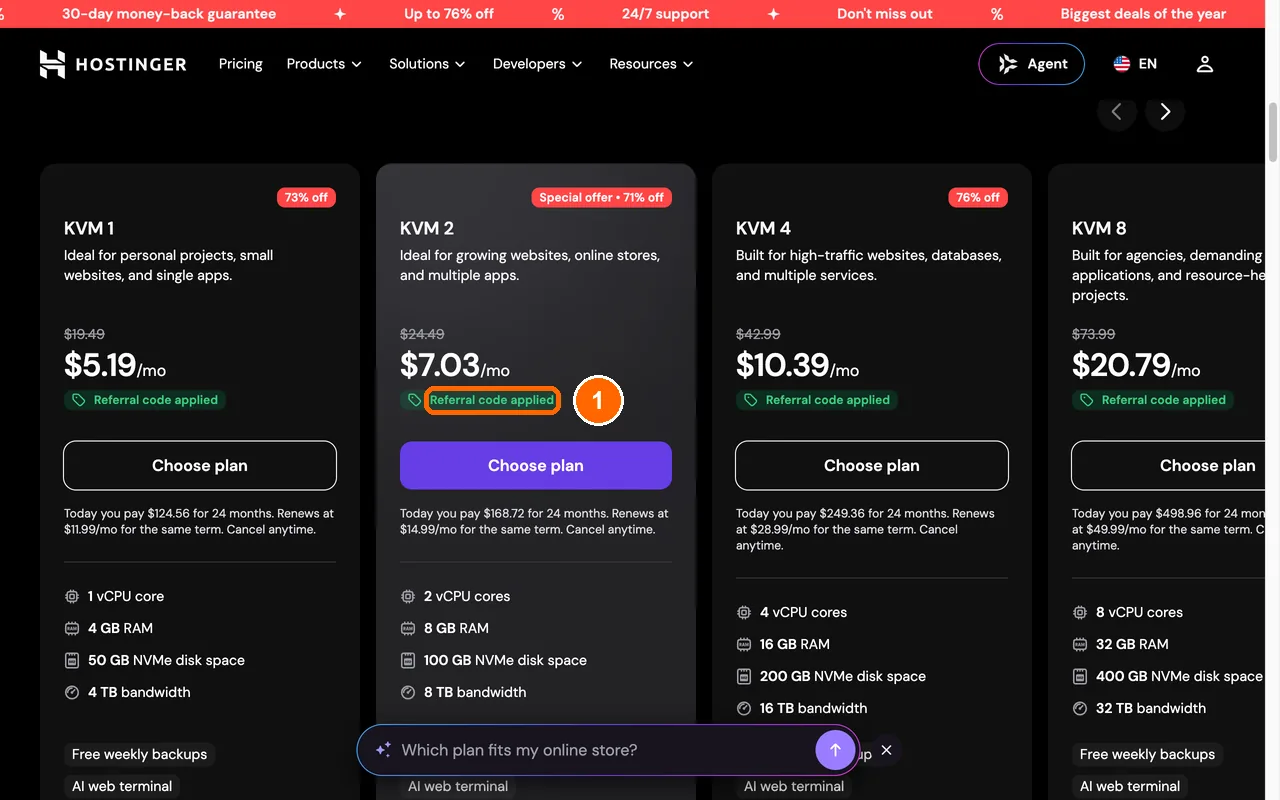
Click this button: Open Hostinger VPS plans
What you’ll see: 4 plan boxes. Under each price is a small green label that says Referral code applied. That means our 20% discount is on.
Stuck? If a box about cookies pops up, click Opt out. The page works the same.
Step 2: Click Choose plan under KVM 2
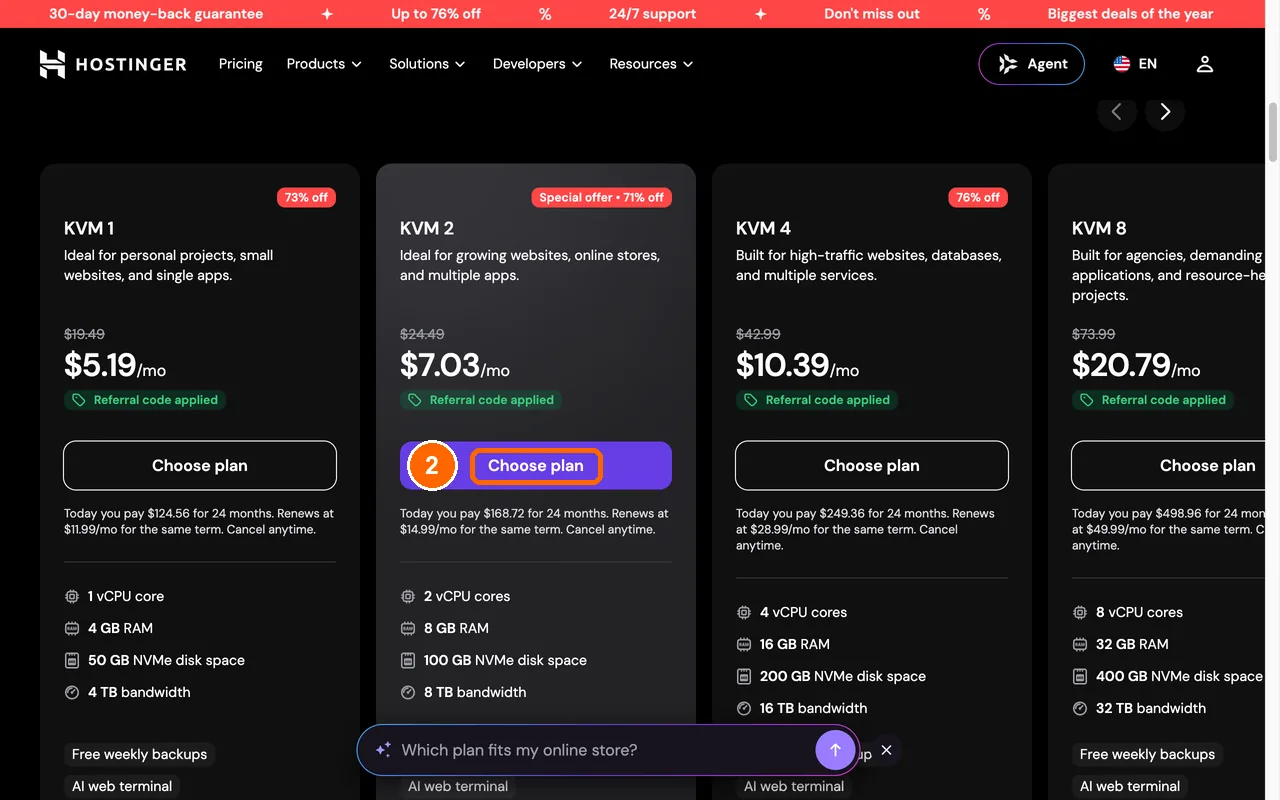
Find the second box. It’s called KVM 2. Click the purple button in it that says Choose plan.
We picked KVM 2 because it has 8 GB of memory (the space the agent thinks in). Hermes needs at least 2 GB. It runs better with 4 GB or more once it learns new skills.
What you’ll see: a page called Your cart.
Step 3: Leave the period on 24 months
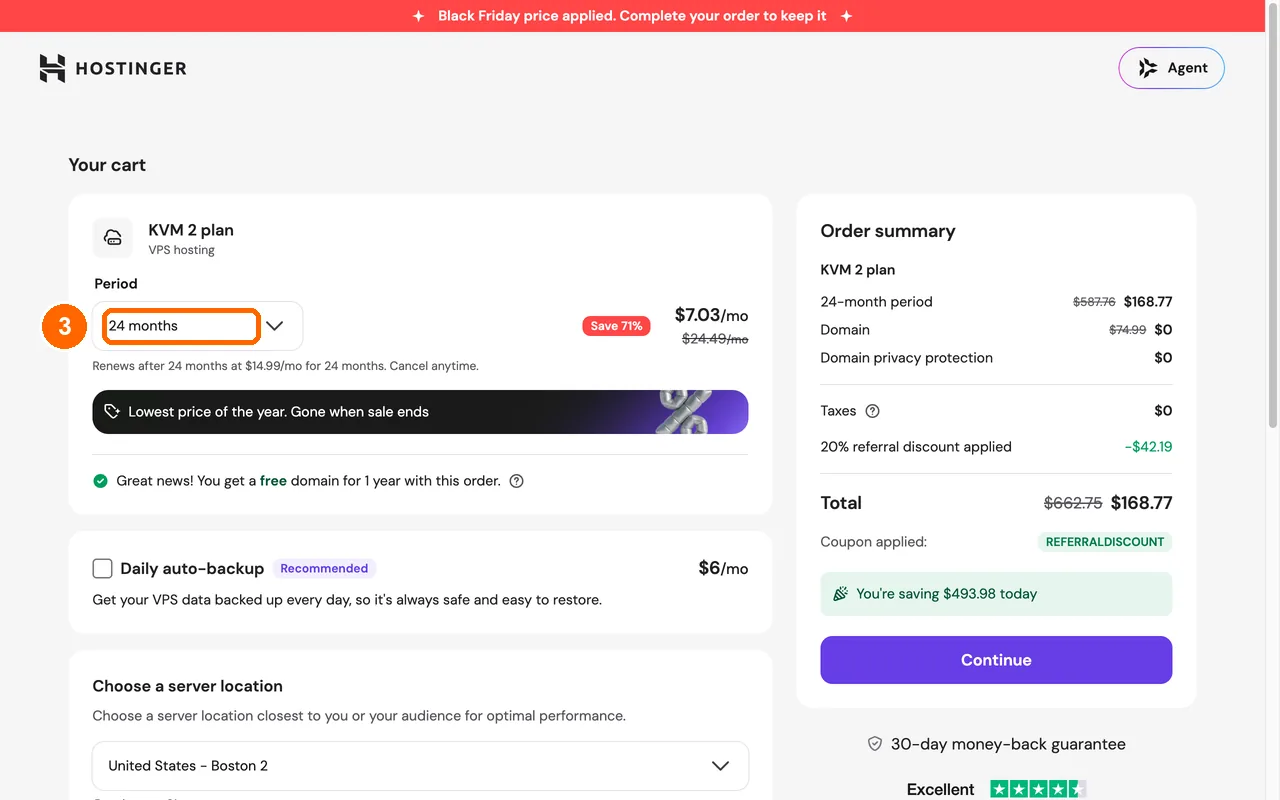
Look at the box under Period, near the top left. Leave it on 24 months. That’s the lowest price, $7.03 a month.
What you’ll see: on the right, a green line says 20% referral discount applied. The total is about $168.77 for 24 months.
Good to know: after 24 months it renews at $14.99 a month. You can cancel in the first 30 days and get your money back.
Part 2: Add Hermes Agent
Step 4: Click the Applications tab
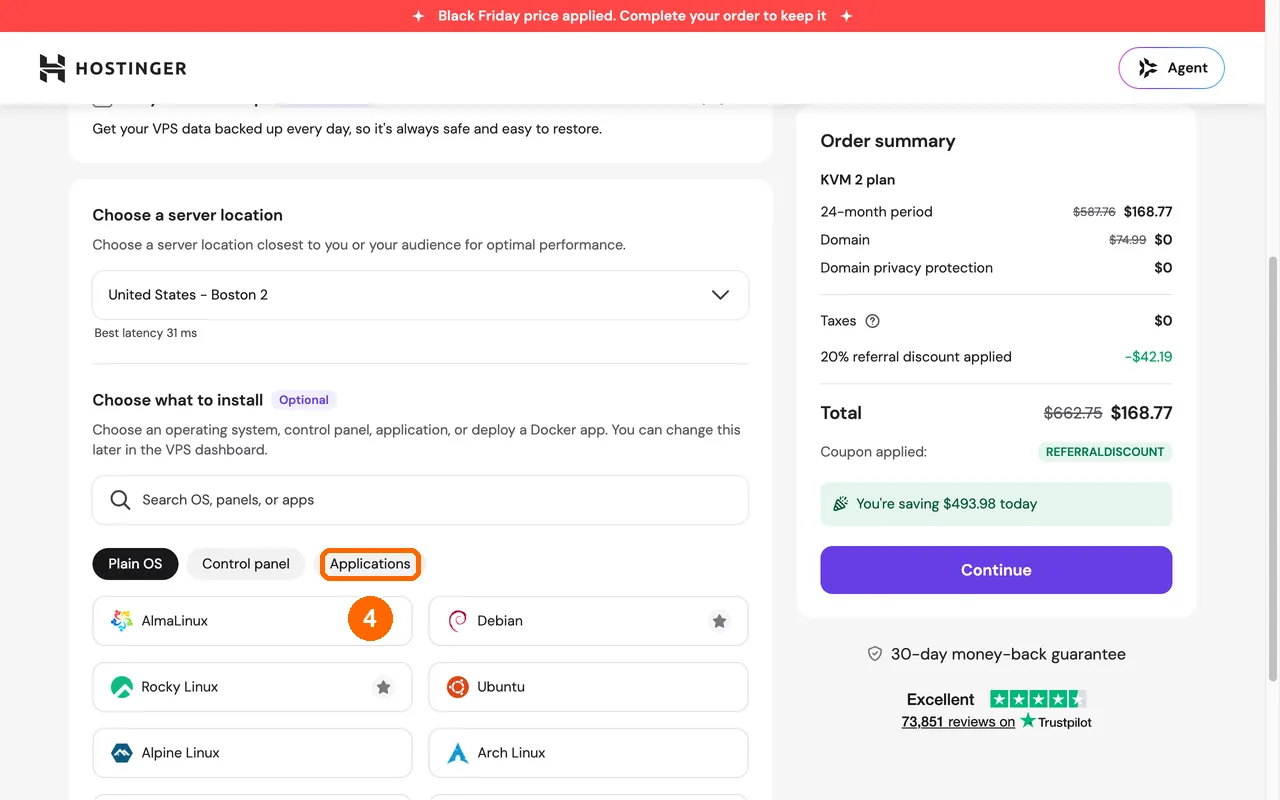
Scroll down to Choose what to install. Click the grey button that says Applications.
What you’ll see: a grid of app tiles.
Step 5: Click the Hermes Agent tile
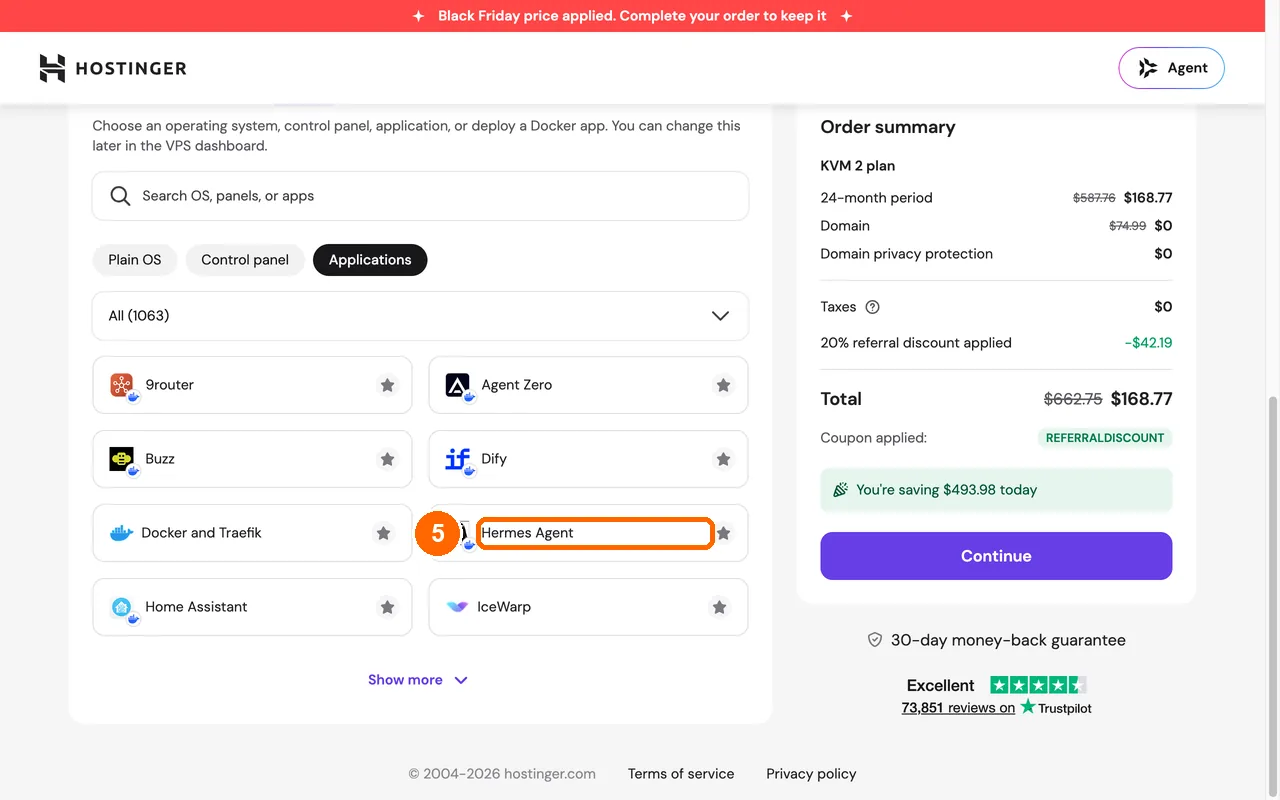
Find the tile that says Hermes Agent. Click it.
Stuck? If you don’t see it, type “hermes” in the Search OS, panels, or apps box above the grid.
Step 6: Click Confirm in the box that pops up
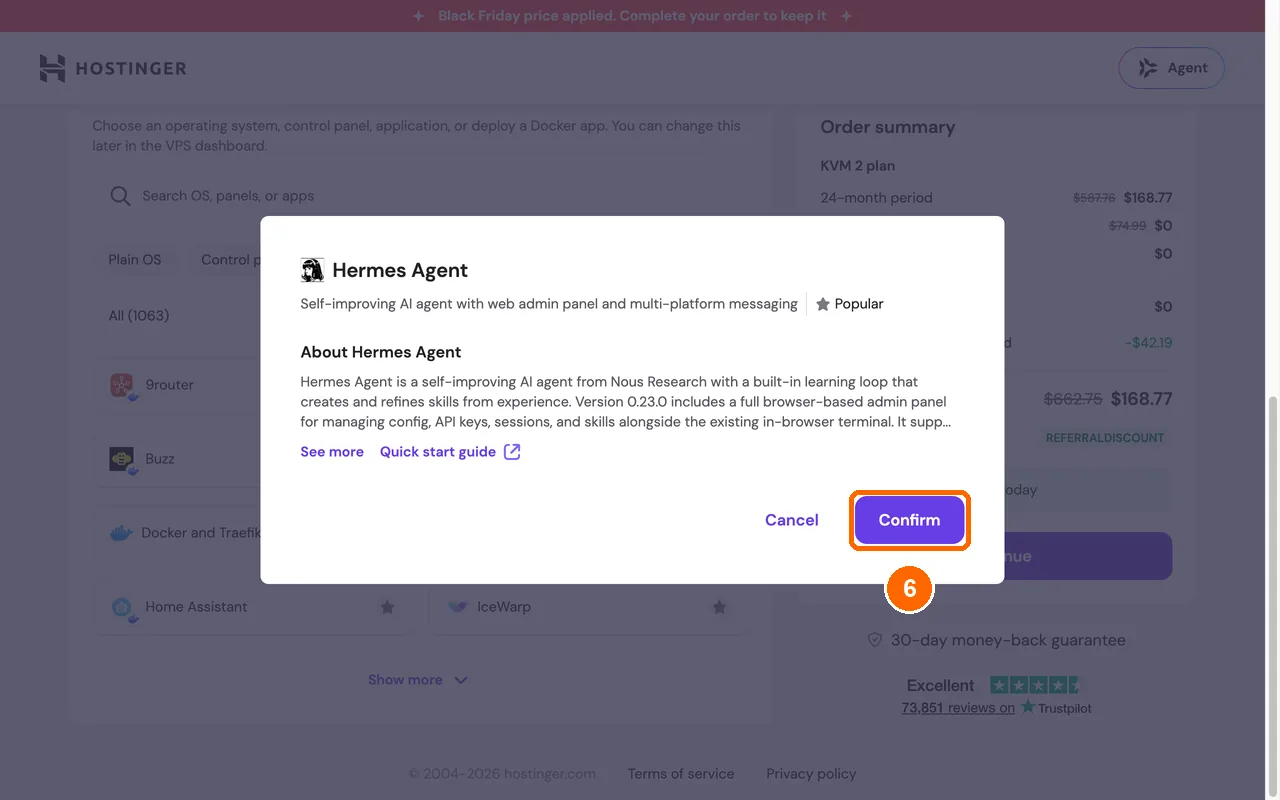
A box about Hermes Agent opens. Click the purple Confirm button at the bottom right. This only picks the app. You don’t pay yet.
What you’ll see: the box closes. The Hermes Agent tile moves to the top and gets a purple border.
Part 3: Check out
Step 7: Click Continue
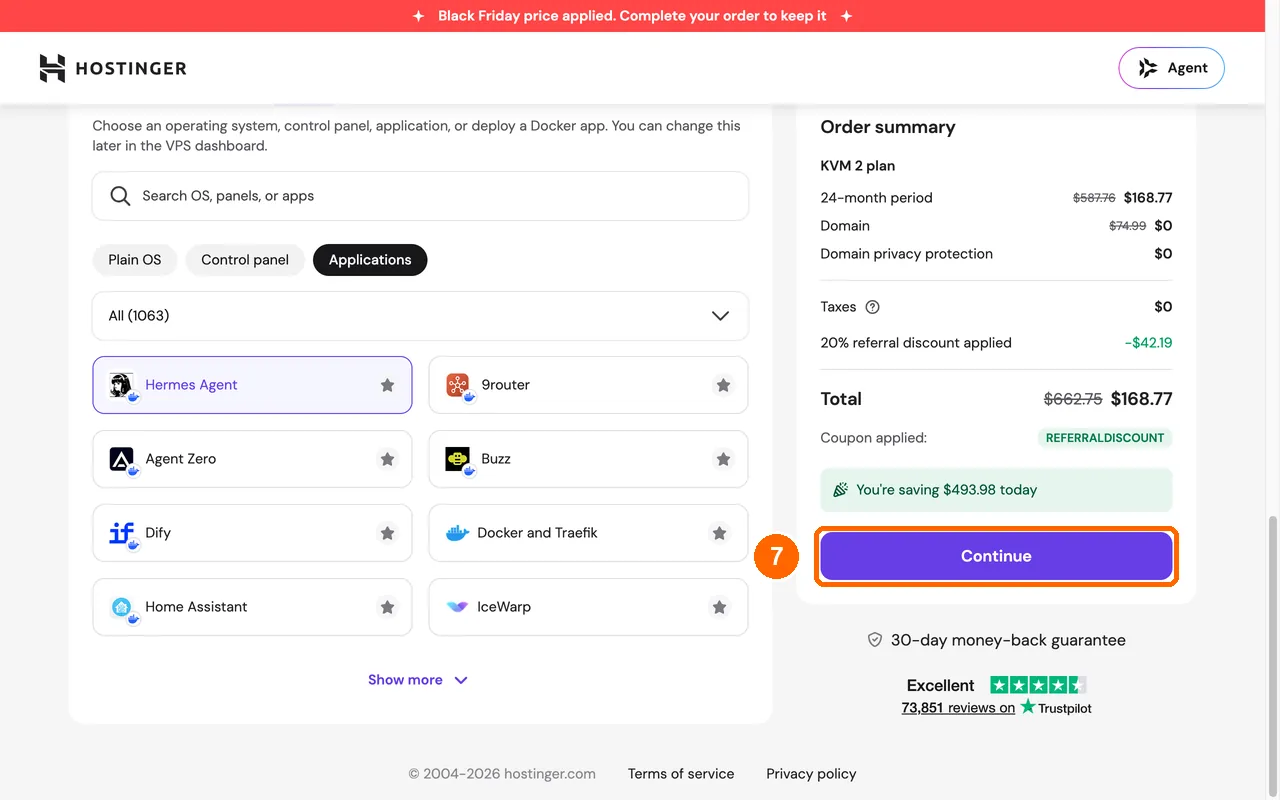
Click the big purple Continue button on the right, under the total.
What you’ll see: a page that says Register.
Step 8: Make your Hostinger account
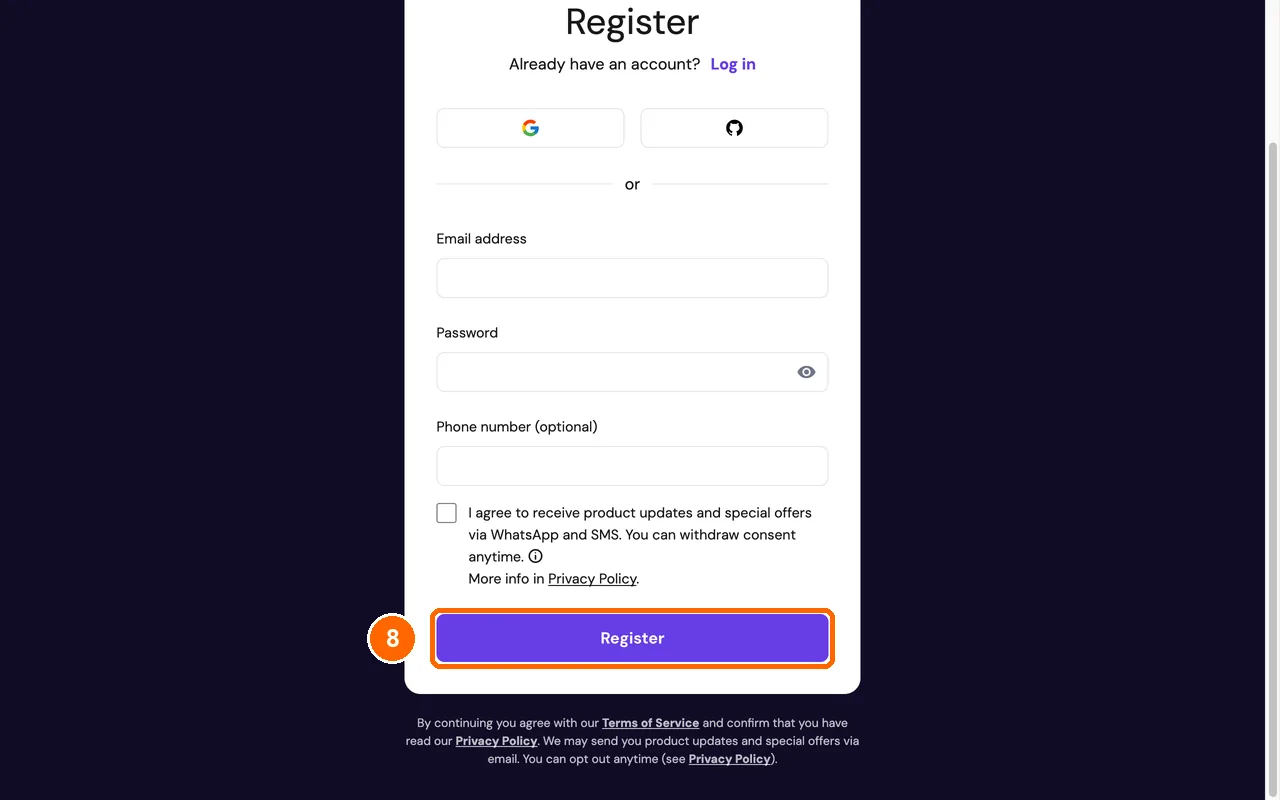
Type your email in Email address. Make a password in Password. Then click the purple Register button.
What you’ll see: the payment page. Pay with your card there. Then Hostinger builds your server with Hermes on it.
Already have a Hostinger account? Click Log in at the top instead.
Check that it worked
Look at the cart once more before you pay. The Hermes Agent tile should have a purple border, and REFERRALDISCOUNT should show under the total. If both are there, your server comes with Hermes and our discount.
If something went wrong
There’s no green “Referral code applied” label. The discount didn’t load. Close the page and click our button in Step 1 again.
You can’t find Hermes Agent in the app grid. Type “hermes” in the search box above the grid.
You picked the wrong app. Click the Hermes Agent tile again and click Confirm. The new pick replaces the old one.
The price is higher than ours. Hostinger changes sale prices often. Check that 24 months is picked. Our prices are from November 7, 2026.
What to do after you pay
Hostinger’s own guide shows how to open Hermes, pick your AI model and turn on Telegram: Get started with Hermes Agent on Hostinger. We’re writing our own step-by-step version with screenshots next.
FAQ
Is Hermes Agent free? Yes. The software is free and open source. You pay for the server and for the AI model.
How much memory does Hermes Agent need? At least 2 GB. 4 GB or more is better. KVM 2 has 8 GB.
Can I run Hermes on my laptop instead? Yes, but it stops when your laptop sleeps. A VPS keeps it running all day.
Can I talk to Hermes on my phone? Yes. Hermes works with Telegram, WhatsApp, Discord, Slack, Signal and email.
Next: Hermes vs OpenClaw
Tested by WebHostCompared on November 7, 2026, on the Hostinger KVM 2 checkout, up to the payment page. Prices checked live with our referral link that day.
Sources: Hostinger: get started with Hermes Agent, Hermes Agent on GitHub.